
Free care tools that help your congregation feel known and loved
Rallee makes it easy for your congregation to show up for each other. Members or staff start care pages (like meal trains or pages for health updates) that others can join, and every act of care flows automatically back into Planning Center or Rock RMS.

Integrated with


Care note
"Visited Mary after surgery. She's recovering well and really appreciated the meal train."
New Rallee
14 supporters invited


3 ways to help
Meals
Rides
Visits
Rallee for Churches
Free forever. Sign up takes under 1 minute.
More care, less stress.
Tools that reduce the administrative burden on your care team so they can focus on what matters most: showing up for people.
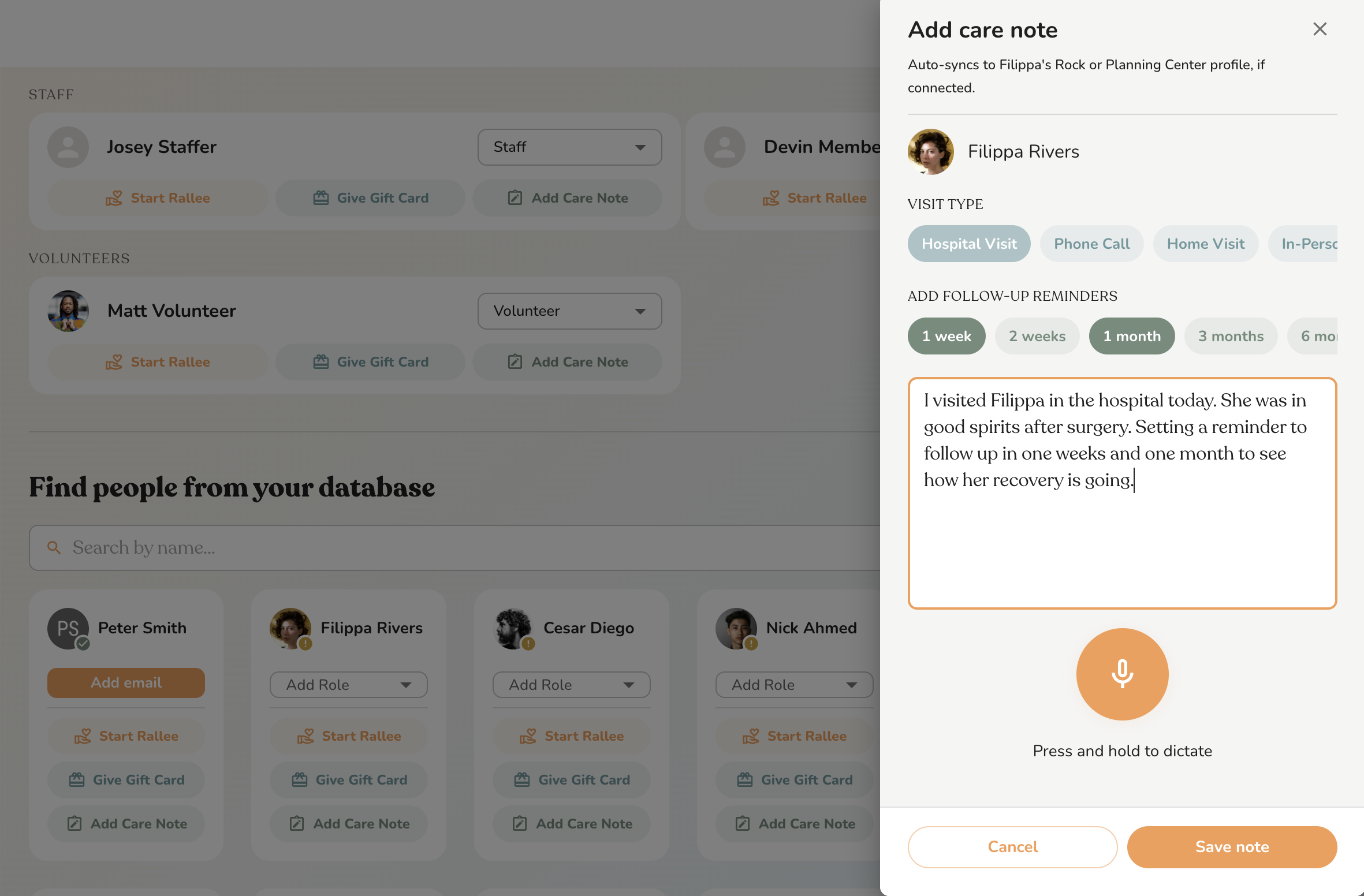
Speech to text care notes
Capture care notes the moment they happen. Speak naturally and Rallee transcribes them directly into Planning Center or Rock. No manual entry, nothing lost to memory.
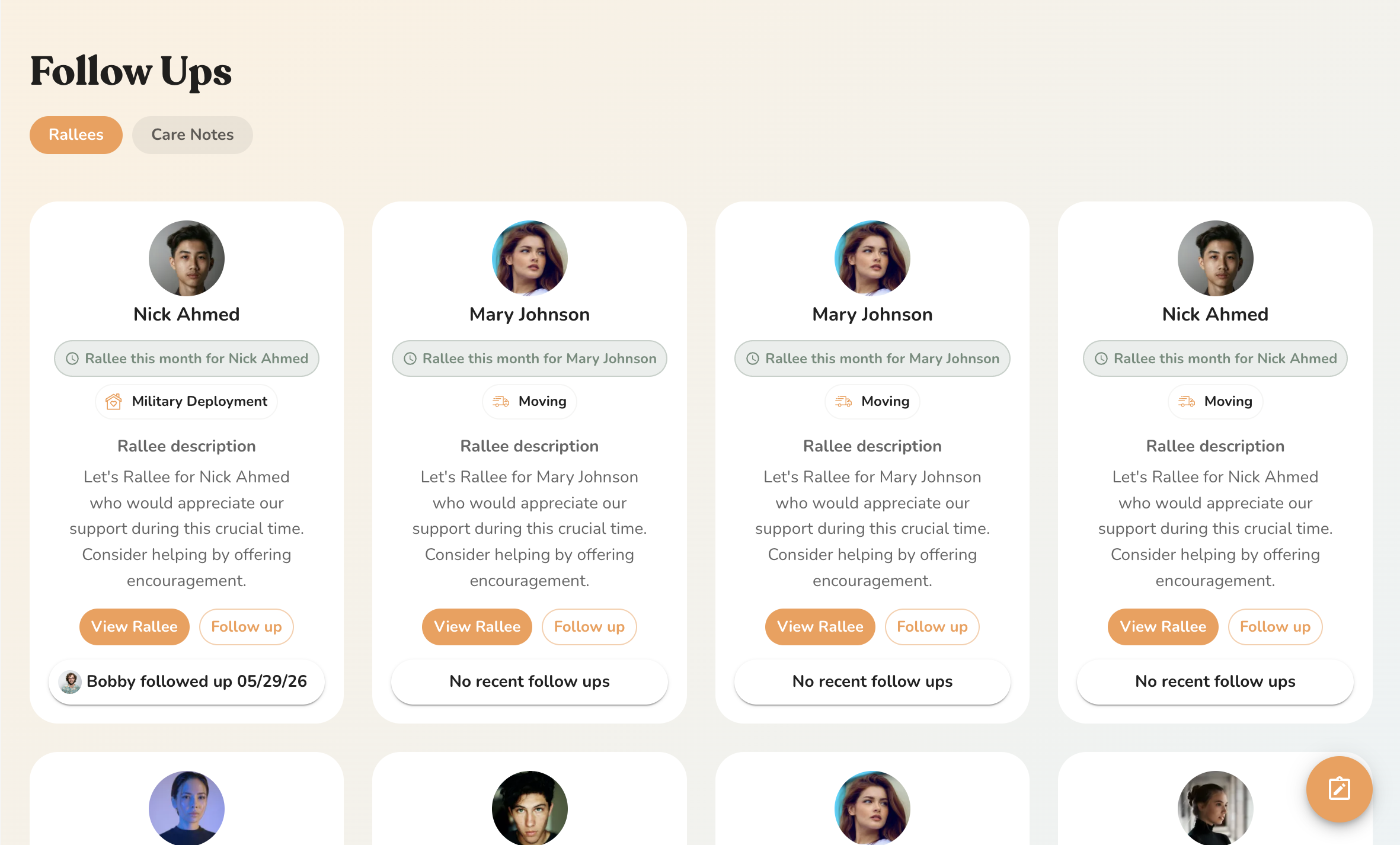
Automatic follow-up reminders
Never miss a milestone. Rallee keeps track of people going through big life events and tracks follow ups from your care team.
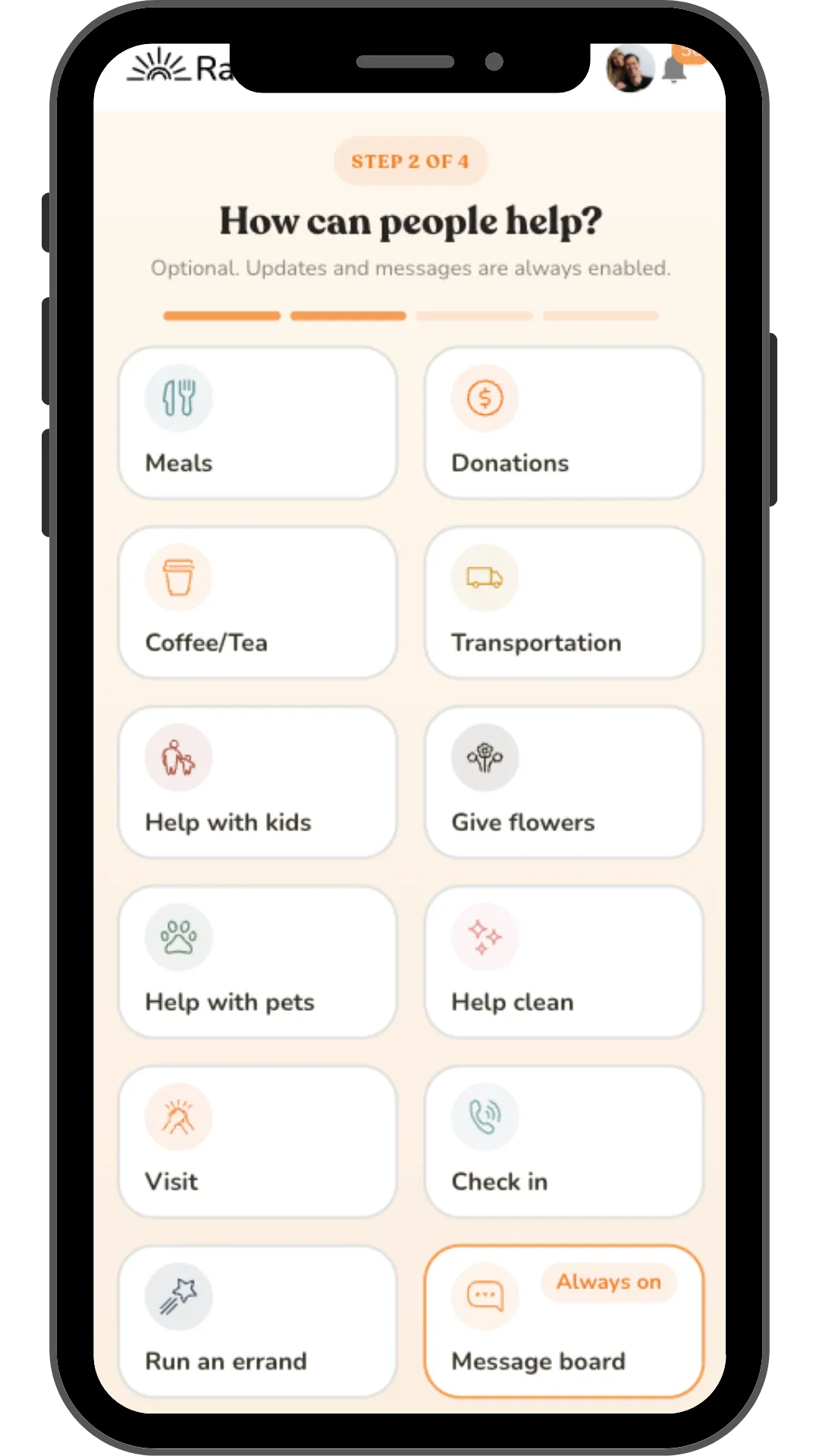
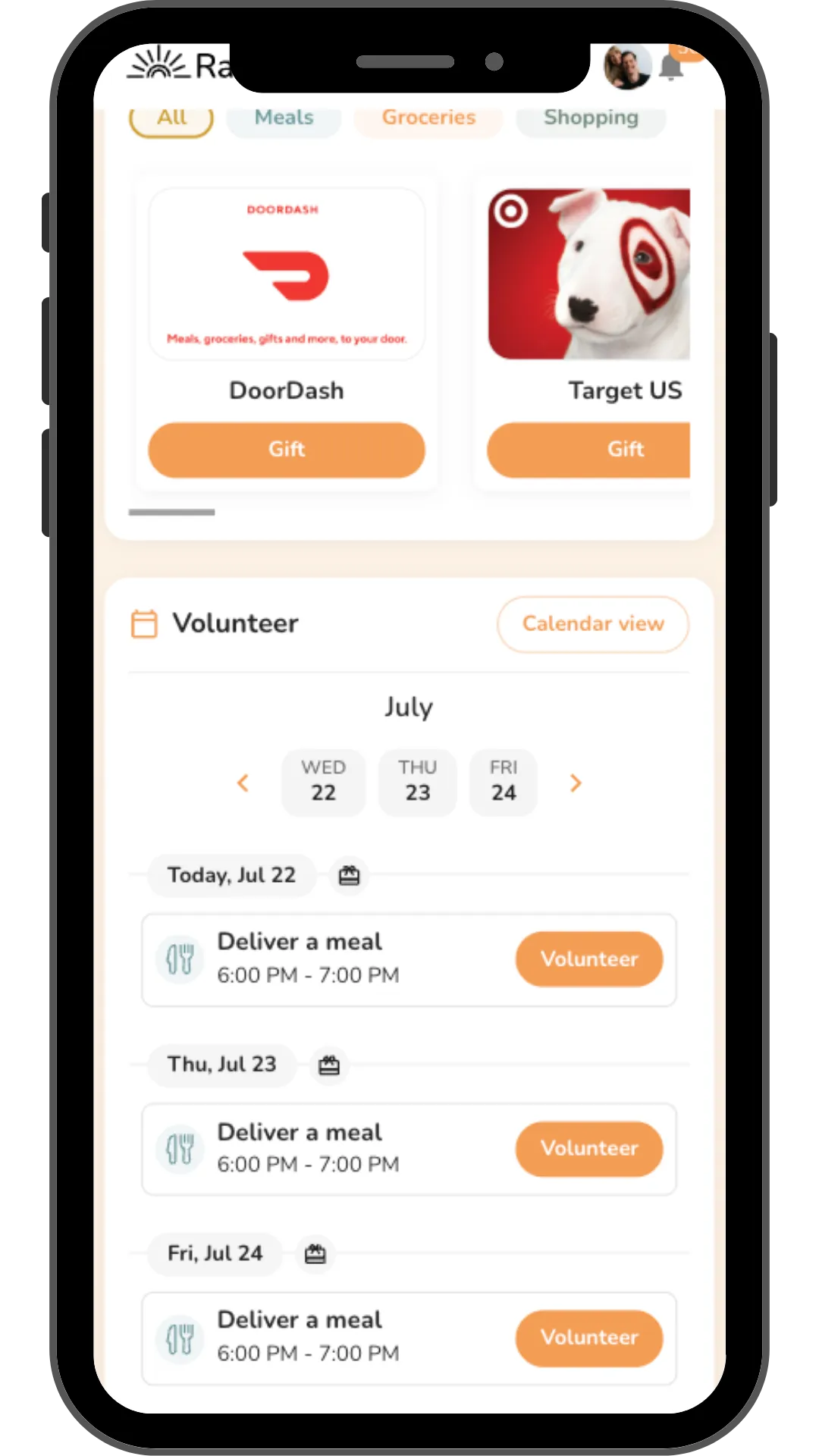
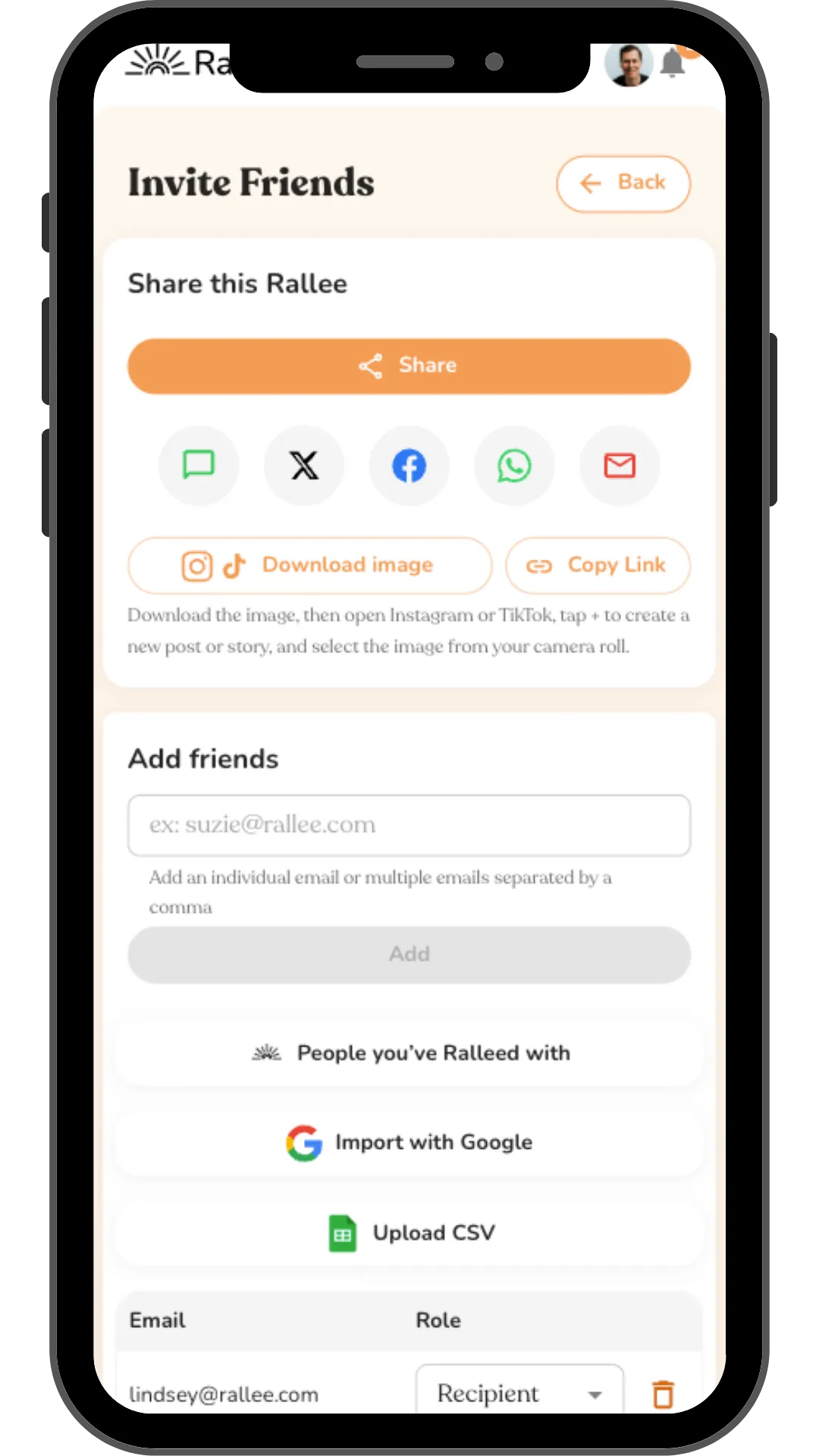
Connect meal trains and care pages to your database
Start meal trains or allow your congregation to start them for someone in your church. All the care data from those pages automatically syncs with Rock or Planning Center.
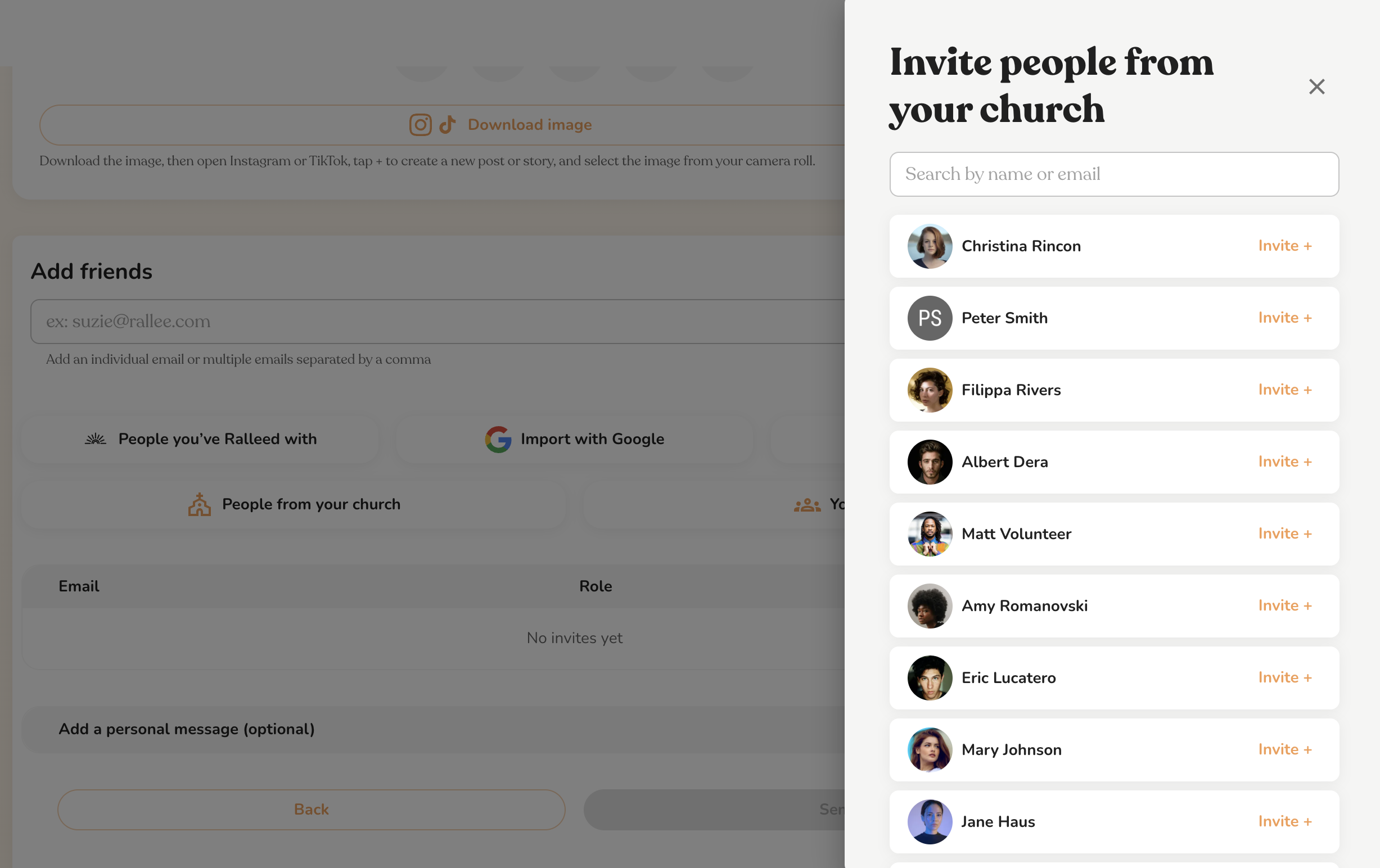
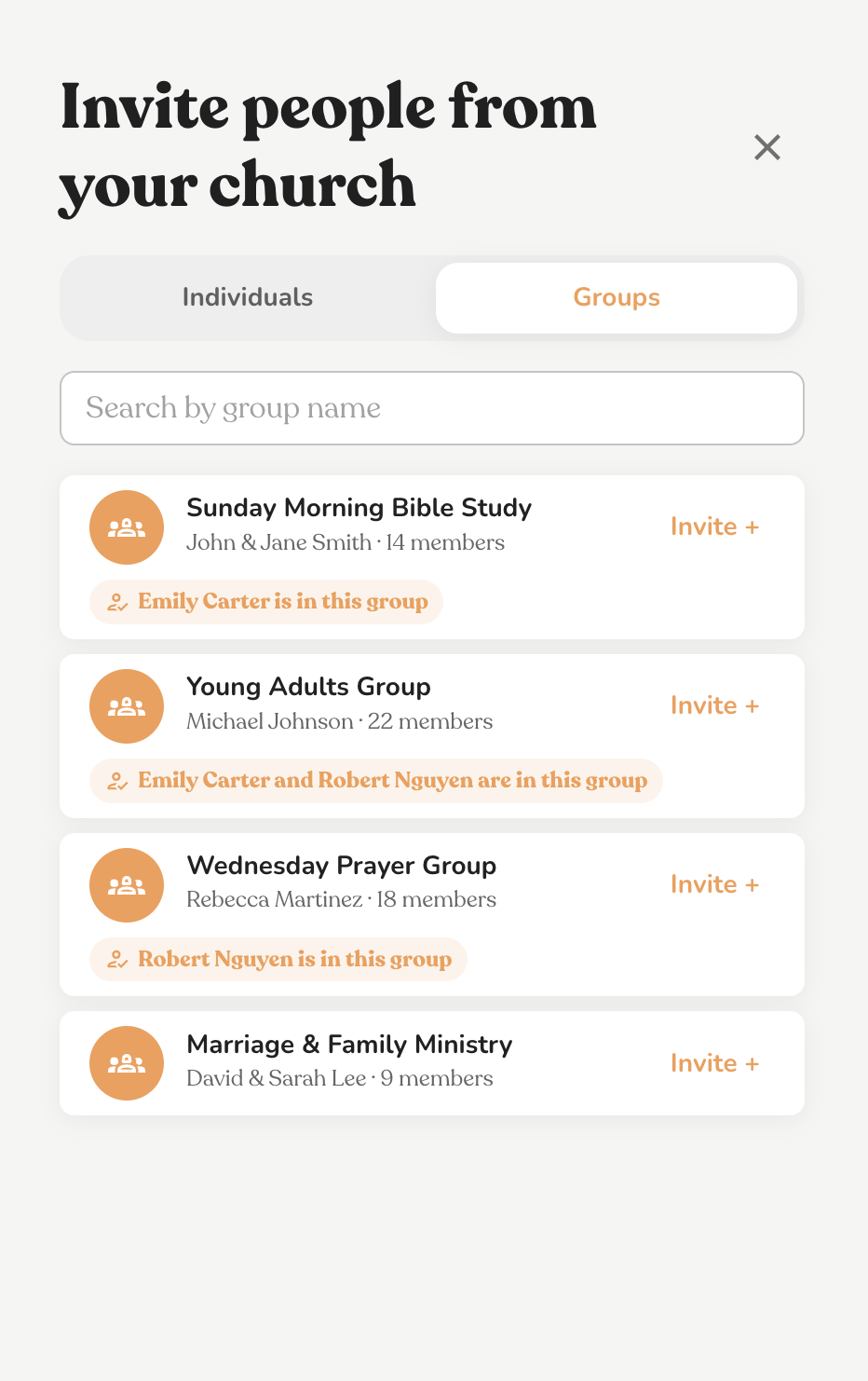
Add Planning Center or Rock groups to your meal train or care page with one click
Add individuals or your meals ministry group, care groups, or community groups with one click.
Your care data, automatically synced with your database.
When your congregation shares life updates or shows up for each other with meals, visits, and daily needs, that care is automatically logged in Planning Center or Rock. Leadership gets the visibility they need without anyone lifting a finger.
Easy syncing with Planning Center and Rock
Care notes written back automatically: meals, rides, errands, volunteer activity
Add the option to add your church on every member's profile when logged in
Optionally allow for members to share their own Rallees with church leadership
No manual data entry. Care visibility with zero admin overhead.
Connect your ChMS in one click
Logged to your CRM
Sarah Hall · Delivered a meal for Tanya Smith
Synced to Planning Center · Just now
David Locke · Ran an errand for Bob Rivers
Synced to Planning Center · Just now
Rachel Burke · Posted a Message in Margaret Platt's Rallee
Synced to Planning Center · Just now
How Rallee works for your congregation.
Three steps from someone needing support to feeling cared for. From quiet acts of kindness to a complete record in your database.
Step 01
Step 01
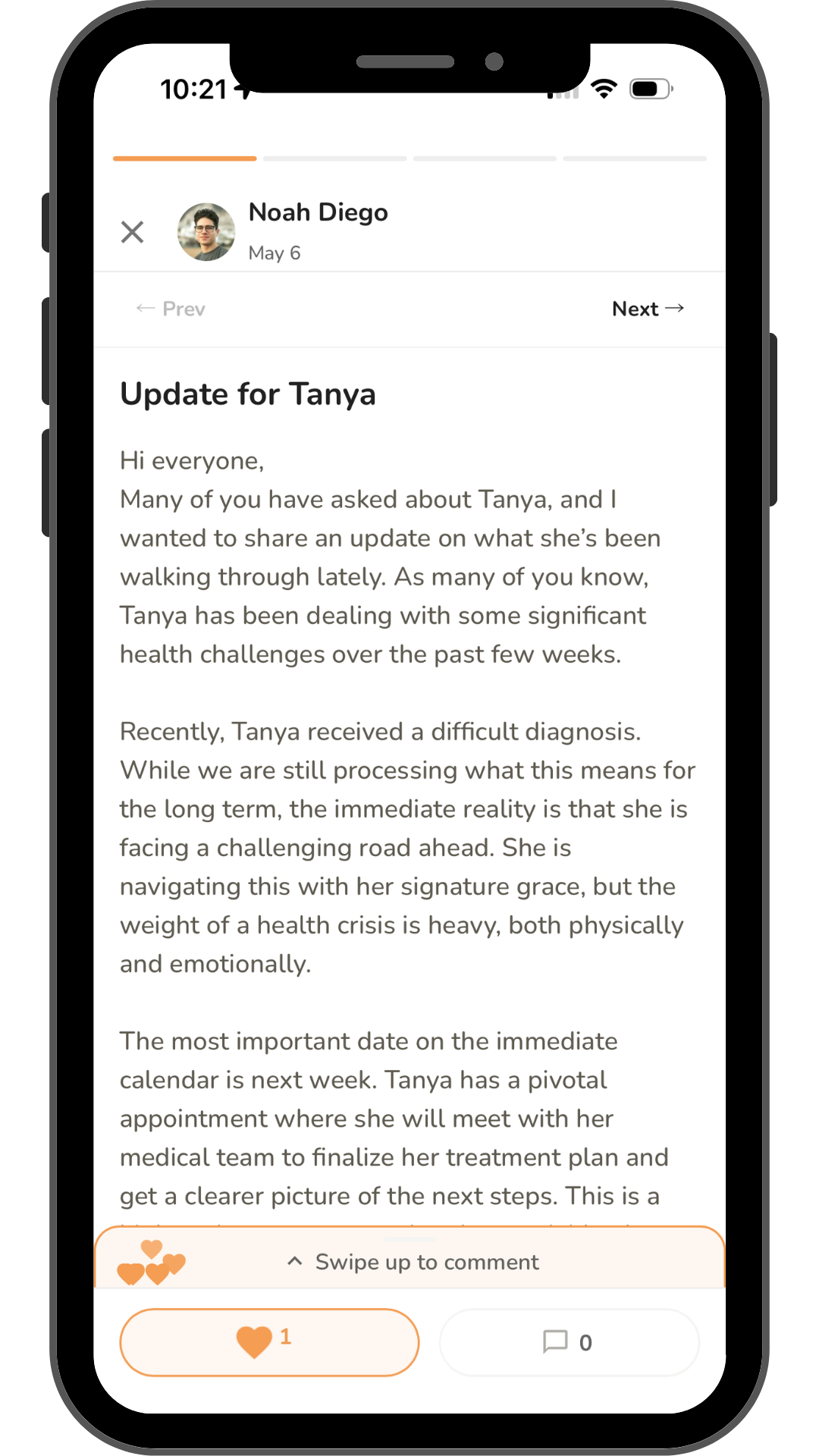
Staff or members start a care page
Start a Rallee for someone going through a life event: a new baby, a health challenge, a loss, or a move. Add as many support types as you want (all optional) including meal trains, rides, childcare, errands, gifts, daily needs, and updates. Invite others who schedule their support and share encouragement.
Step 02
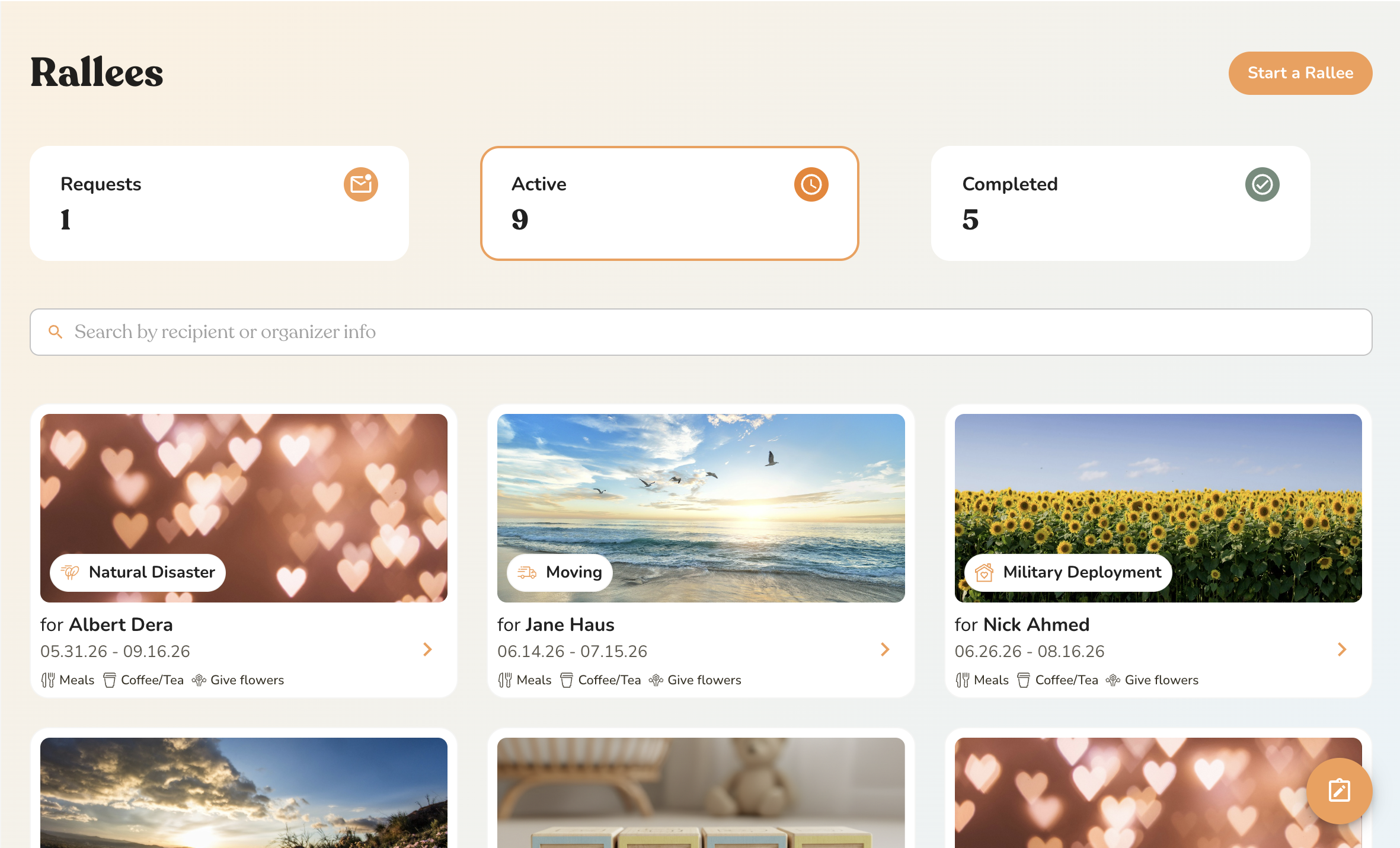
Shared with Grace Church
Leadership now sees this Rallee
Step 02
The care page is shared with church leadership
See all of the Rallees in your church in one view. See which types of care they need and field requests for new Rallees.
Step 03
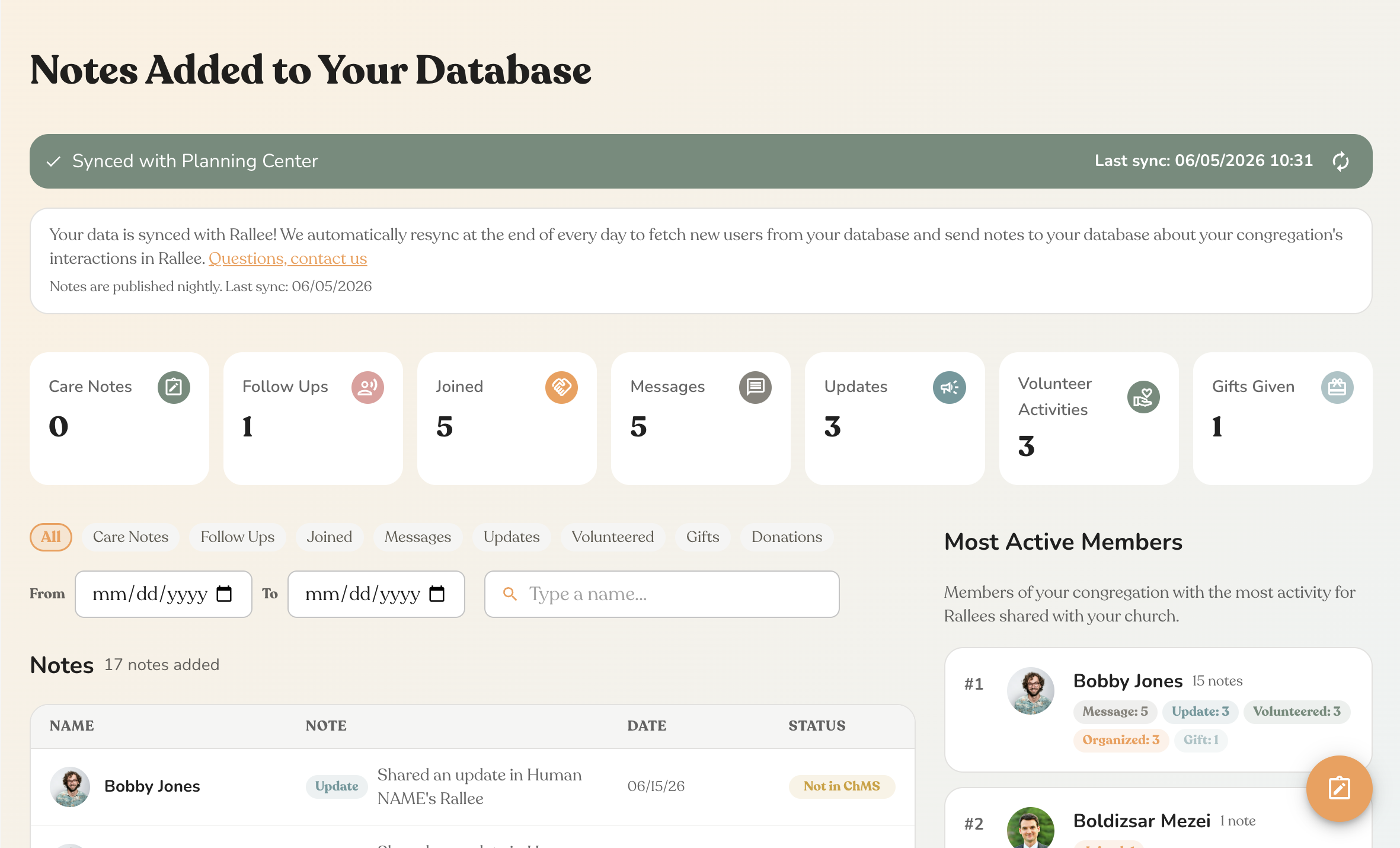
Step 03
Church leaders have full visibility of member-led care
Your admin dashboard shows every active Rallee, every volunteer opportunity, and every care action. All of it logs back into Planning Center and Rock in near real time. No manual data entry, ever.
Ready to try it with your church?
Free forever. Sign up takes under 1 minute.
Customizable care pages.
From meal trains to helping with daily needs to long-form updates. Rallee bundles every kind of support into a single care page.
All support types are optional. Your church chooses what fits your community.
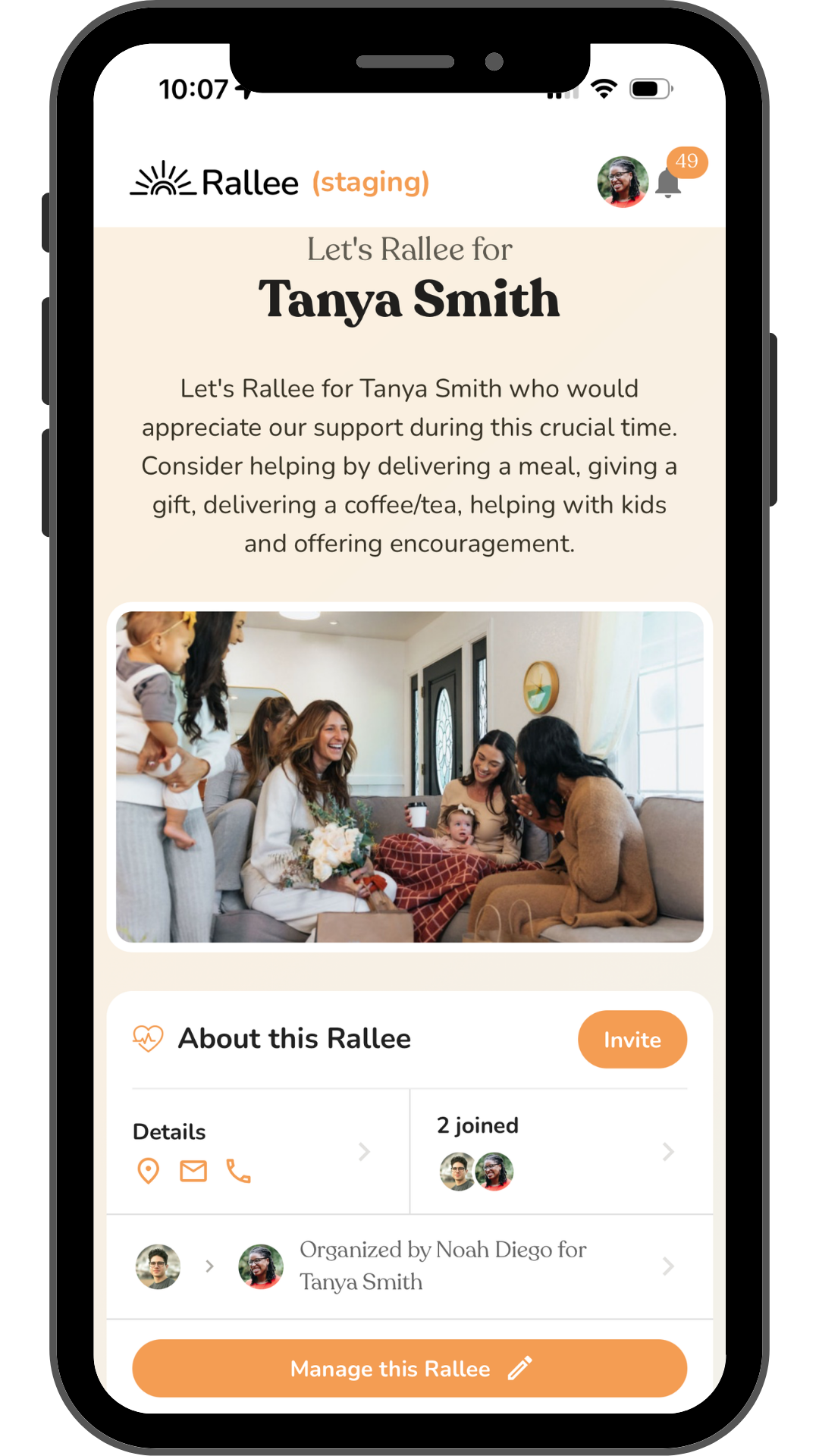
Every Rallee opens here, with all the ways to help.
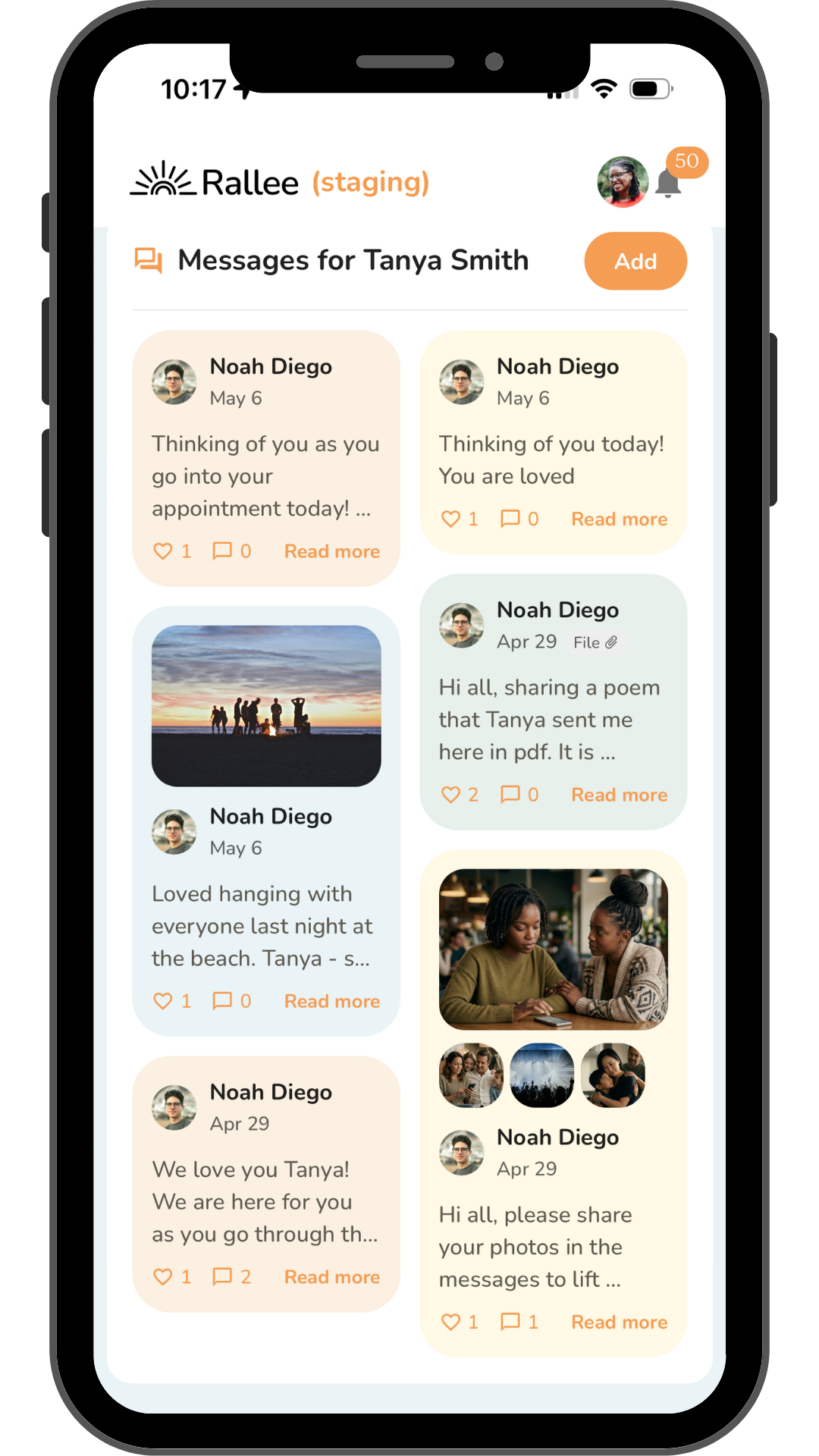
Members post messages, photos, and prayers.
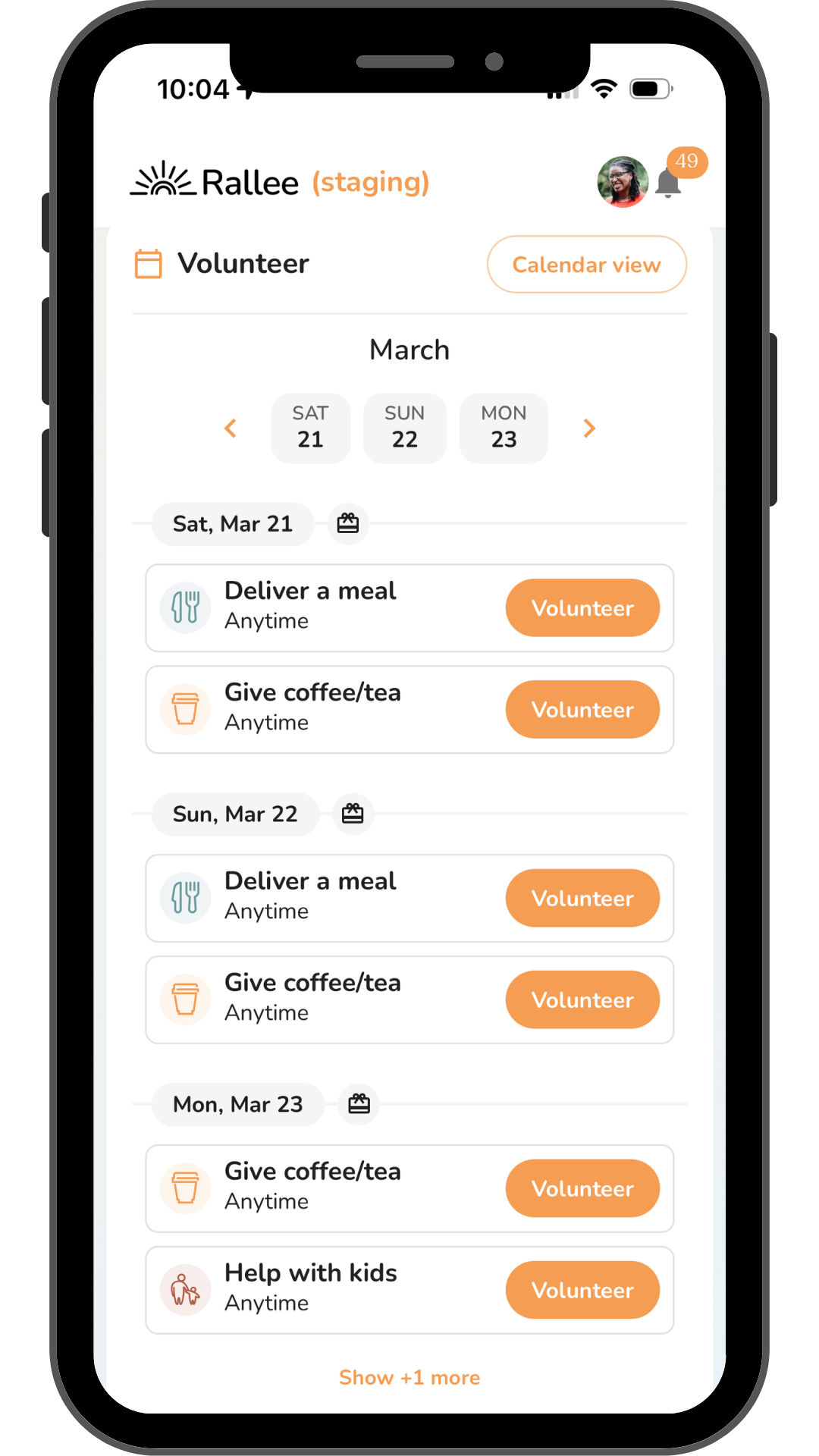
Sign up to deliver meals, give rides, or help.
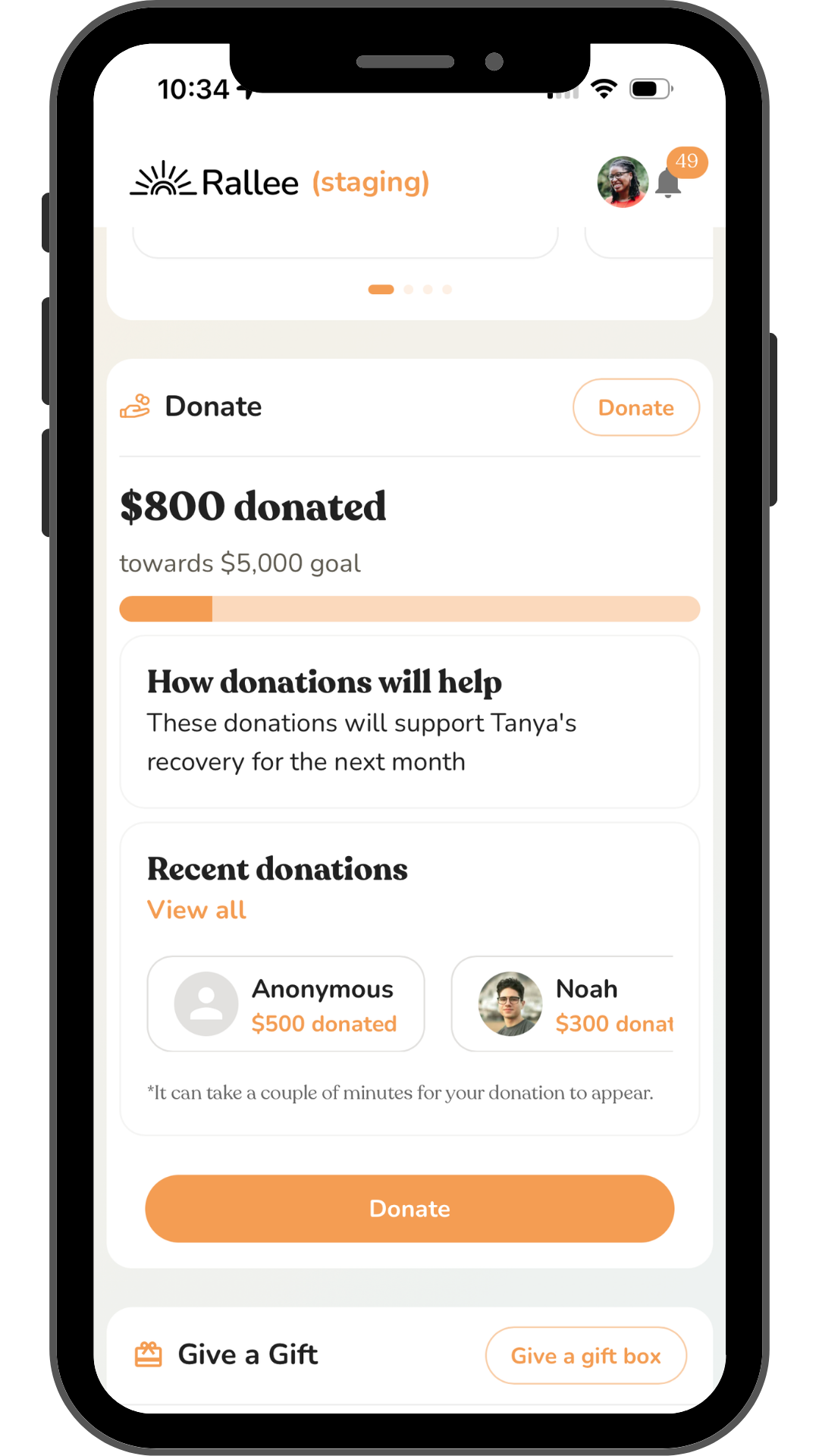
Optional fundraising with no platform fees.
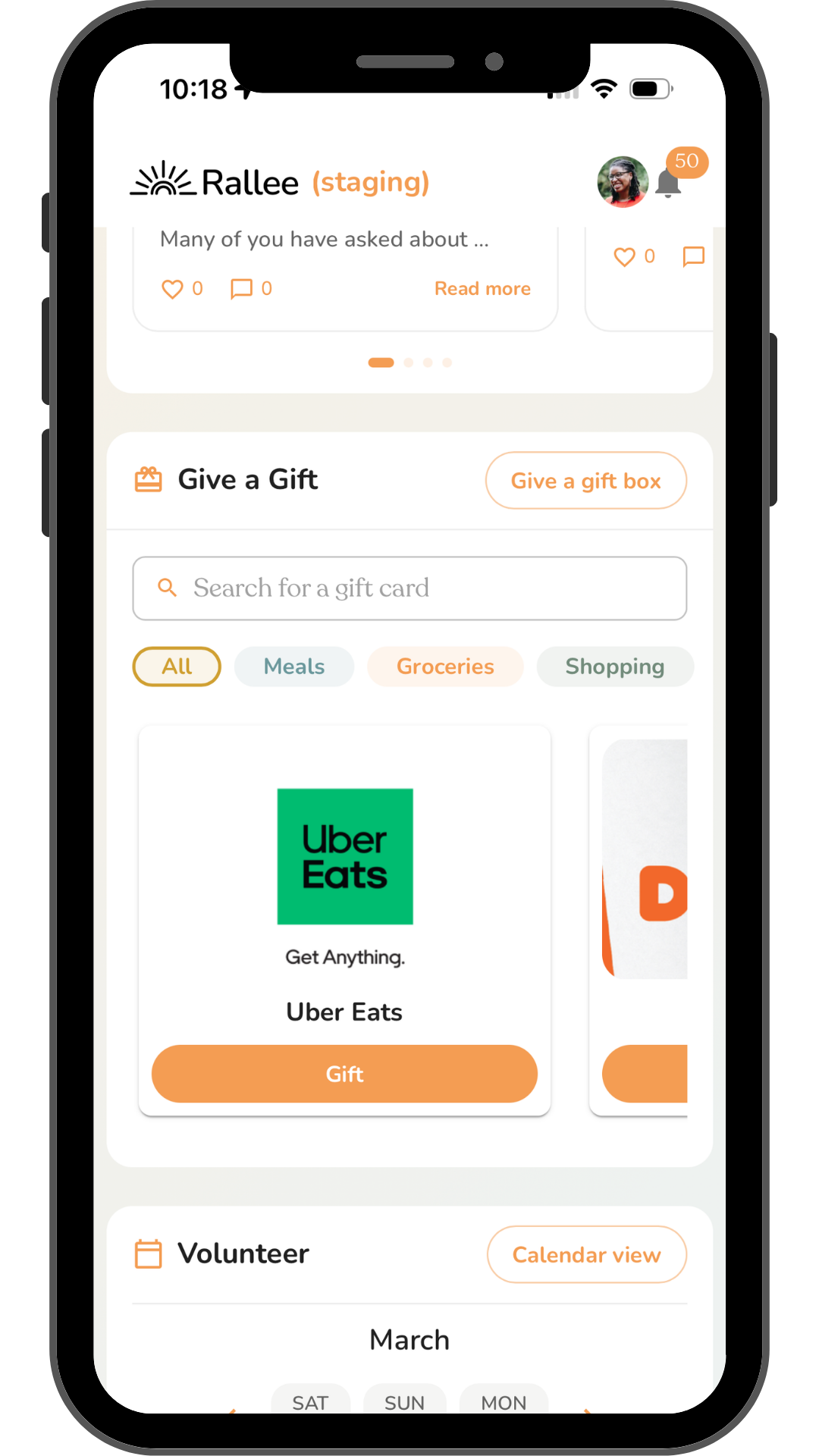
Curated gift cards: Uber Eats, DoorDash, & more.
Recipients share what they're walking through.
Every Rallee opens here, with all the ways to help.
Members post messages, photos, and prayers.
Sign up to deliver meals, give rides, or help.
Optional fundraising with no platform fees.
Curated gift cards: Uber Eats, DoorDash, & more.
Recipients share what they're walking through.
MealTrain and CaringBridge leave you in the dark.
No more data silos. No ads. No platform donation solicitation requests. Give your congregation the tools to show up for each other with empathy.
All the church's care, in one view.
Invite pastors, staff or volunteers to your church's admin dashboard. The dashboard gives you a congregation-wide view of who needs support, who's showing up, and how your church cares for each other, all synced to your CRM in real time.
Congregation-wide visibility
See every act of care across the entire church from a single dashboard. Know who needs support before they fall through the cracks.
Care notes in your CRM, automatically
Automatically sync care notes, meal trains, rides, errands, and visits back to Planning Center and Rock RMS, with zero manual entry.
Impact metrics and automated reports
Your admin dashboard becomes a storytelling machine. Track meals delivered, volunteer actions, hospital visits, and Rallees across the whole congregation.
Smart controls to match your church culture
We let you customize your experience. No premium features, no strings attached.
Allow members to start Rallees and share with our church leadership
Members can create a care page on their own and send it to your care team.
Allow Rallees to be posted on our public page so people in our church can join our active Rallees
Active Rallees show up on your church page so anyone can jump in and help.
You decide who sees what.
Invite anyone on your team and give them the right level of access.
Christina Rincon
christina@ralleetownchurch.org
Admin
Full access. Manages church settings, integrations, and who else gets access.
Staff
Day-to-day care. Sees the dashboard, logs care notes, and follows up.
Volunteer
Helps coordinate care without access to your church's settings.
Our promise about communicating with your database
We only communicate with users in your database who have signed in to Rallee or have been invited by you. That means, when you join, we are not going to blast an email to everyone in your Planning Center or Rock database. While your Admin, Staff or Volunteers that you invite can see people in your database, your members only see your church on Rallee if you decide to share your public page with them or enable anyone in your church to share Rallees with you.
"Our church set up a Rallee to provide support for us after we welcomed our fourth child. Friends brought us meals, tea, flowers and offered meaningful check-ins that made me feel truly cared for."
— Briea B.
Sign up today! Free forever!
Sign up takes under 1 minute. You can connect your Planning Center or Rock account during sign up or after sign up in your dashboard.
You can find out more about our Planning Center integration here or Rock integration here.
$0
/ month, for every church
Get ahead of every care need.
No credit card, no church size tiers, no per-seat math. Everything below is included.
ChMS sync
Sync to Planning Center or Rock RMS
Speech to text care notes
Easily add care notes with automated follow up reminders.
Unlimited Rallees
Member-led care across your entire congregation
Automated follow-ups
Nudges to follow up with people who experienced a big life event
Care volunteer management
Add volunteers to your dashboard so they can join or create Rallees
Ministry metrics
Tell the story of how your church shows up for each other
Questions, answered.
We use the official APIs from Planning Center and Rock RMS. For Planning Center, you will sign in to Planning Center to allow Rallee to access data from Planning Center. For Rock, you will need to provide an API key. We are happy to help at any point or answer further questions. Just reach out to hello@rallee.com.
We only access data that we use, including: people ID, groups, email addresses, names, and campus. We do not access sensitive data like background check info or donation data from your database.
After you connect your database, church leadership can invite users from your database to Rallees, start Rallees for people in your database, and follow up with people who your church has Ralleed for.
Every care action (meals delivered, rides given, errands, visits, prayer notes) is automatically added back to each person's profile in your database as a note. No imports, no manual data entry. The sync runs in near real time.
You can read more about our sync with Planning Center here and our Rock documentation here.
Yes. Rallee is free, forever, for your church and for everyone in your congregation. That includes the admin dashboard, Planning Center and Rock sync, unlimited Rallees, automated follow-ups, and volunteer management. There is no trial period, no per-seat pricing, and no credit card required.
Yes. You can optionally allow anyone in the church to share their Rallee with church leadership. This simply adds the Rallee to your dashboard. There is no church branding on the Rallee. Everyone in the Rallee will not be aware that this Rallee is a part of the church. Only users who you select as Admins, Staff, or Volunteers can see an overview of all of the Rallees that are associated with the church.
You can also optionally add your active Rallees to your church's public page. This is off by default, but you can turn it on in settings at any point.
Yes! We will schedule some time with you for onboarding after you sign up. But also feel free to reach out to our team anytime before or after signing up. Connect with us at hello@rallee.com for more onboarding info or to schedule a session.
Yes. Rallee is totally free. So you can cancel at any time with no penalty. All of your data is exported back to Planning Center or Rock in near real time, so everything will be synced even if you stop. All of the Rallees for people in your church will still be active unless the recipient or organizer deletes them.
In every Rallee, the recipient and organizer have the option to allow anyone with the Rallee link to join or to only have people they explicitly invite via email or approve join. For sensitive situations, we recommend that the Rallee settings only allow people that the recipient or organizer invite and allow into the Rallee. If the recipient or organizer allow anyone with the link to join, users still have to have access to the link and verify their email to join. These settings can be changed at any time in a Rallee.
We also never index Rallees, meaning an individual Rallee is not searchable on search engines like Google and is not searchable on our website.
Address and phone number for the recipient are optional. You can also hide the recipient's email address if desired.
Start a Rallee for them, or help a family member start one, and add the support they need: meals, rides to treatment, childcare, visits and updates. Members sign up for specific dates, so care keeps going through months of treatment instead of fading after the first few weeks.
For what to say, what to bring and how to time help around chemo, share our guide on how to help a loved one with cancer.
All support types can be turned on or off by the organizer or recipient. If you don't want donations as a part of your Rallee, you simply don't add them to the Rallee.
Note that the recipient or organizer can turn on donations if they would like after the Rallee is created. If you do not want this to happen, the easiest and most respectful way we recommend handling this is to have a soft policy saying that your church cannot continue to support the Rallee if donations are turned on.
Yes! Users can invite anyone they want to their Rallee. We will not add care notes to your database for users who are not in your database.
Free forever
See your church show up for each other.
Set up in under 1 minute, including syncing Planning Center or Rock. Onboarding session included.

We use cookies and local storage to enhance your experience, analyze site usage, and remember your preferences.
By clicking "Accept", you consent to our use of cookies and storage. Learn more